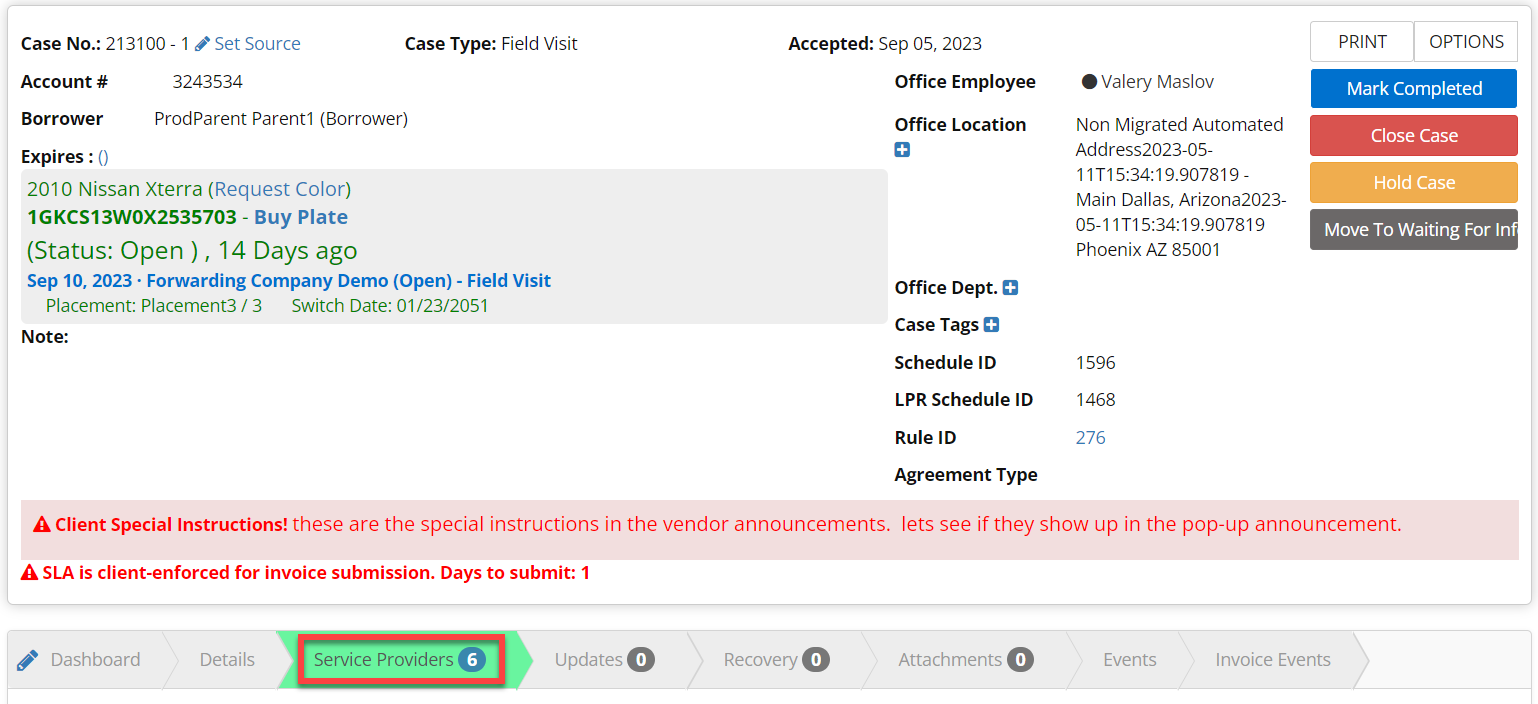
This article applies to case workers and company admins Step 1: From the case view click on the Service Provider chevron.
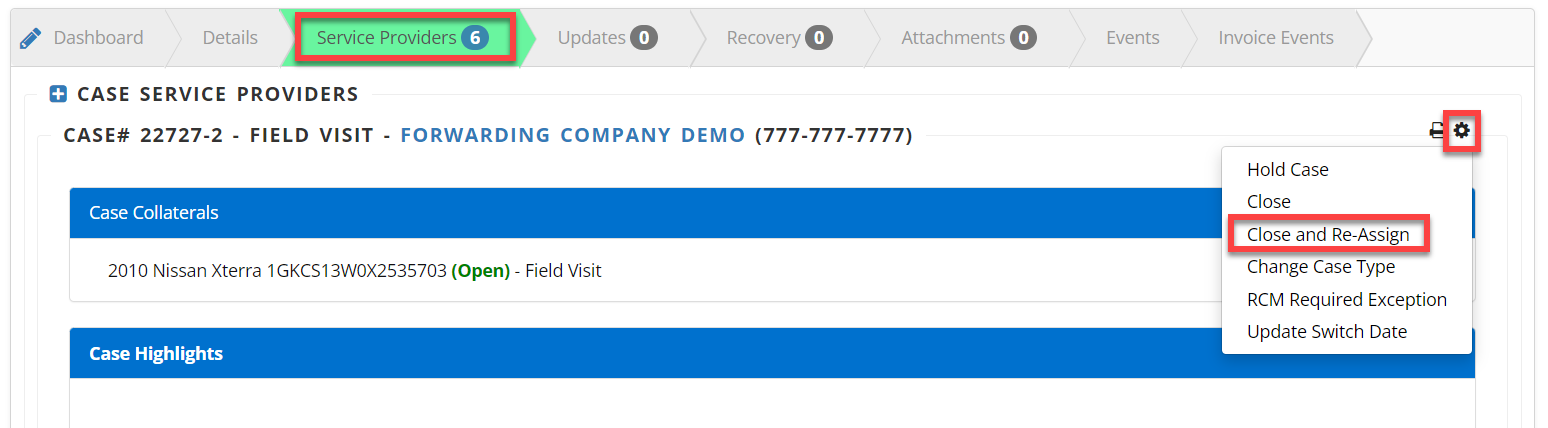
Step 2: Click the Gear to the right of the service provider
Step 3: From the drop-down, select Close and Re-Assign
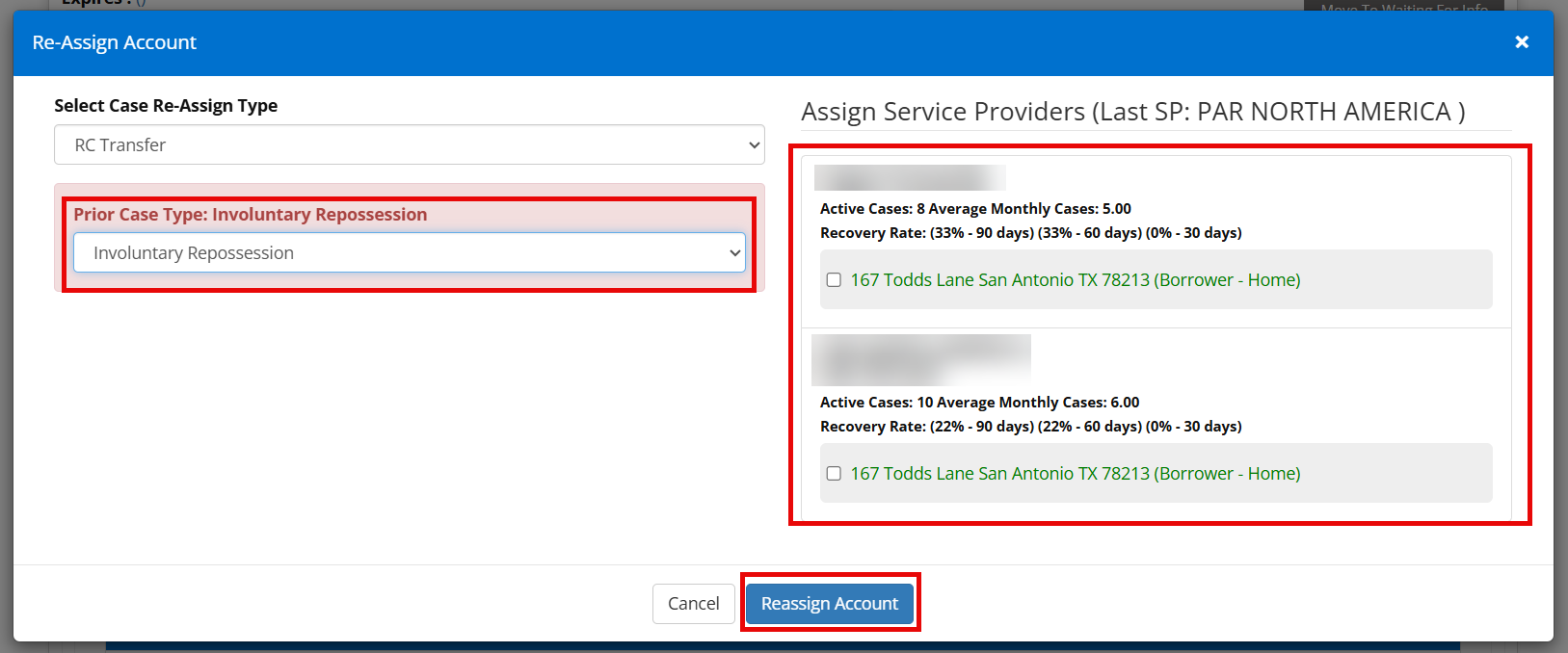
Step 4: Select your desired Case Type
Step 5: Select the Service Provider you want to use
Step 6: Click Reassign Account