This articles applies to customers usign Switch Direct The system should allow the user to create a new mapping by first assigning a priority number that determines the order of execution.
The user must then select a rule and a Direct schedule from the available dropdown lists, both of which are mandatory fields. Before saving, the system should validate that all required information is provided.
Once valid inputs are entered, the user can save the mapping, which will then appear in the mappings list with the configured details.
Additionally, the user should have the option to cancel and exit without saving any changes.


View and Manage Direct Mappings
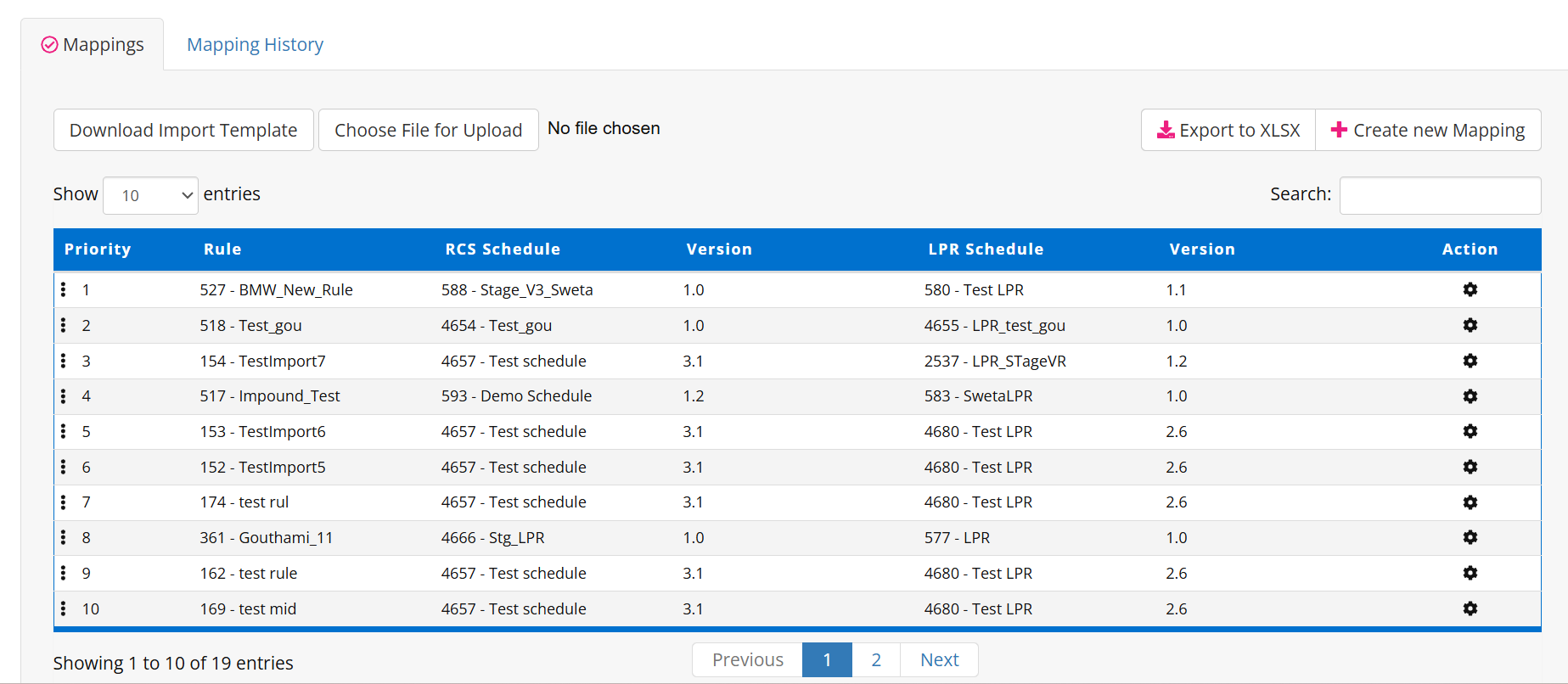
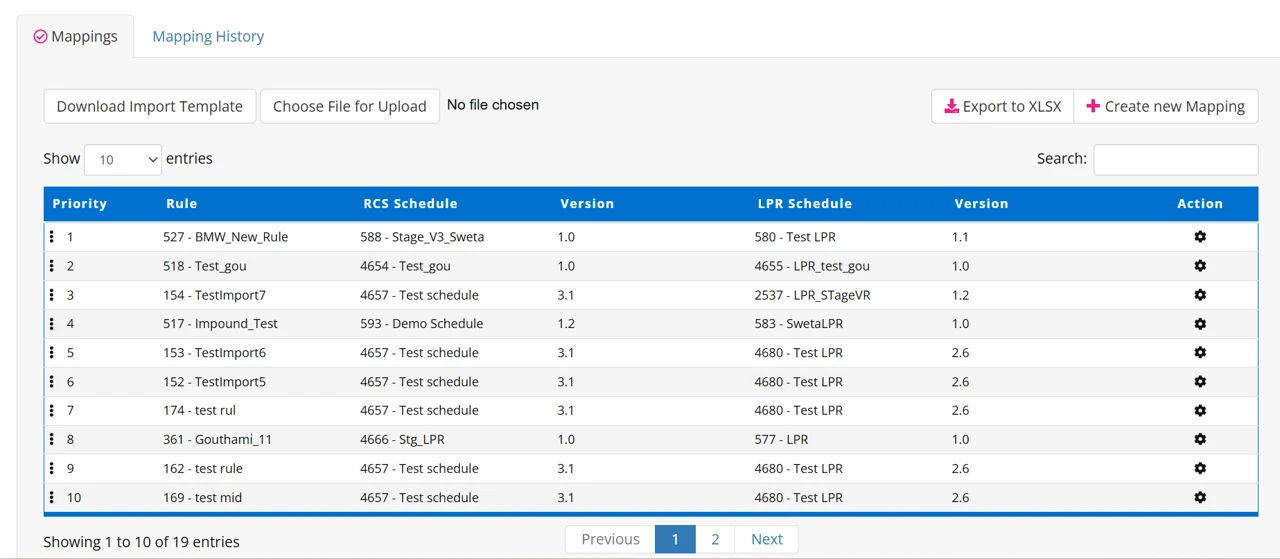
The system should display a list of mappings with details such as priority, rule ID, and name, and the associated RCS schedule with its version.
Users should be able to view the priority order of mappings in a numbered sequence and adjust priorities as needed. To make navigation easier, the system should allow users to search and filter mappings by rule name, schedule, or version.
New mappings can be created using the Create new Mapping option, while bulk mappings can be managed by downloading an import template and uploading mapping files.
For reporting or record-keeping, users should be able to export the mappings list in XLSX format.
Pagination should be available to navigate multiple pages of mappings, and the gear icon under the “Action” column should provide options to view or edit specific mapping details.