
This article applies to companies using lien verification This article outlines the latest enhancements to the Lien Verification Queue. These updates improve queue navigation, provide greater control over lien verification providers, enhance case visibility, and introduce new archiving capabilities.
Overview
The latest release introduces several improvements to the Lien Verification Queue, including:
Pagination controls for better queue navigation
Direct access to queue settings
Support for multiple lien verification providers
Conflict handling between providers
Improved lien visibility across case hierarchies
Manual and automated lien archiving
Restricted state response indicators
These updates help teams manage lien verification more efficiently while improving transparency across cases.
Pagination Controls
Users can now control how many results appear per page in the Lien Verification Queue.
Available Options
20 results per page
35 results per page
50 results per page
Behavior
The selected page size persists even when sorting the queue.
This preference remains active while navigating the queue.
Benefits
Faster case review
Reduced page navigation
Improved usability for large portfolios
Example

Settings Available Directly in the Queue
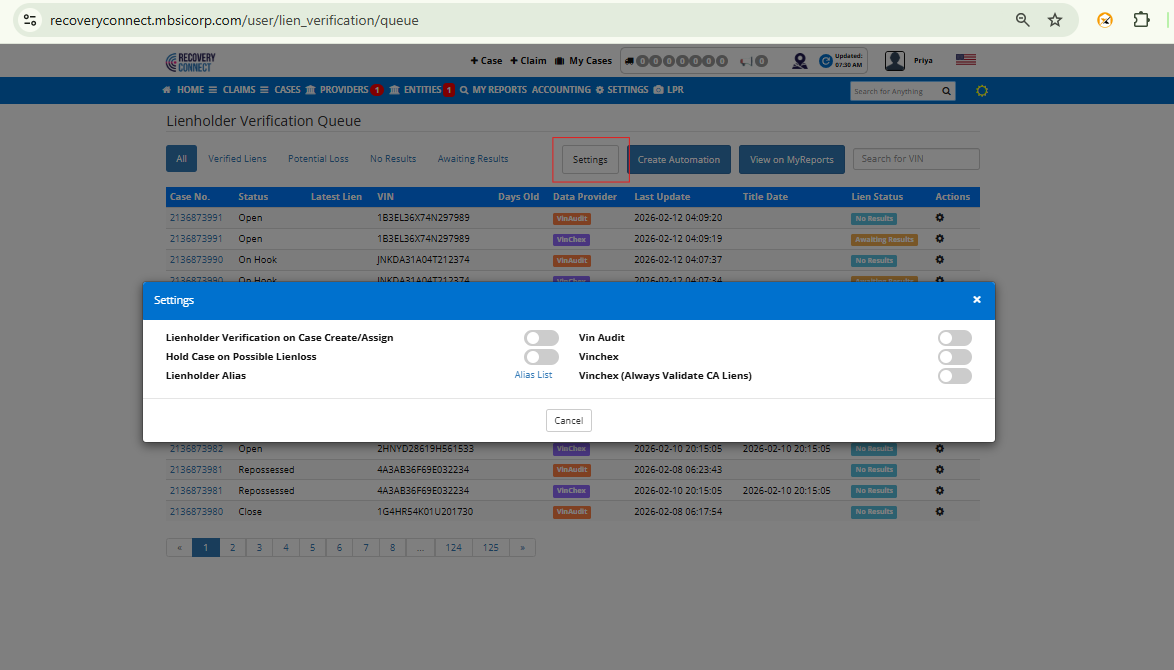
Lien verification settings are now accessible directly within the queue.
Previous Behavior
Settings were only available in Company Settings.
New Behavior
Users can open settings directly from the Lien Verification Queue, allowing for quicker configuration changes while working on cases.
Benefits
Faster access to configuration
Less navigation between pages
Improved workflow efficiency
Example
Archiving VinAudit or VinChex Results
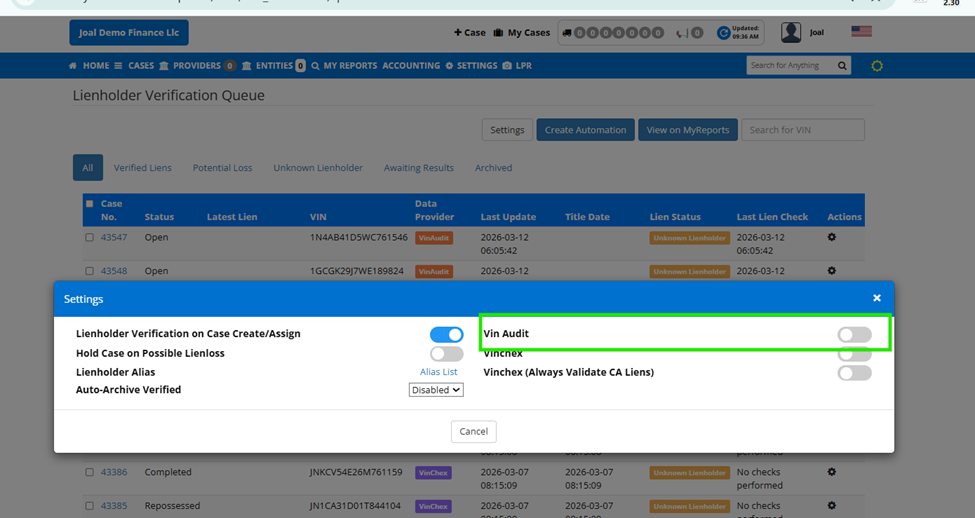
The system now allows users to select which provider’s lien results to display.
Supported Providers
VinChex
VinAudit
How It Works
When a provider is selected from the Settings screen:
Selected Provider | Results Displayed |
|---|---|
VinChex | Only VinChex results |
VinAudit | Only VinAudit results |
This helps maintain consistency when organizations prefer one data provider over another.
Example
Multi-Provider Conflict Handling
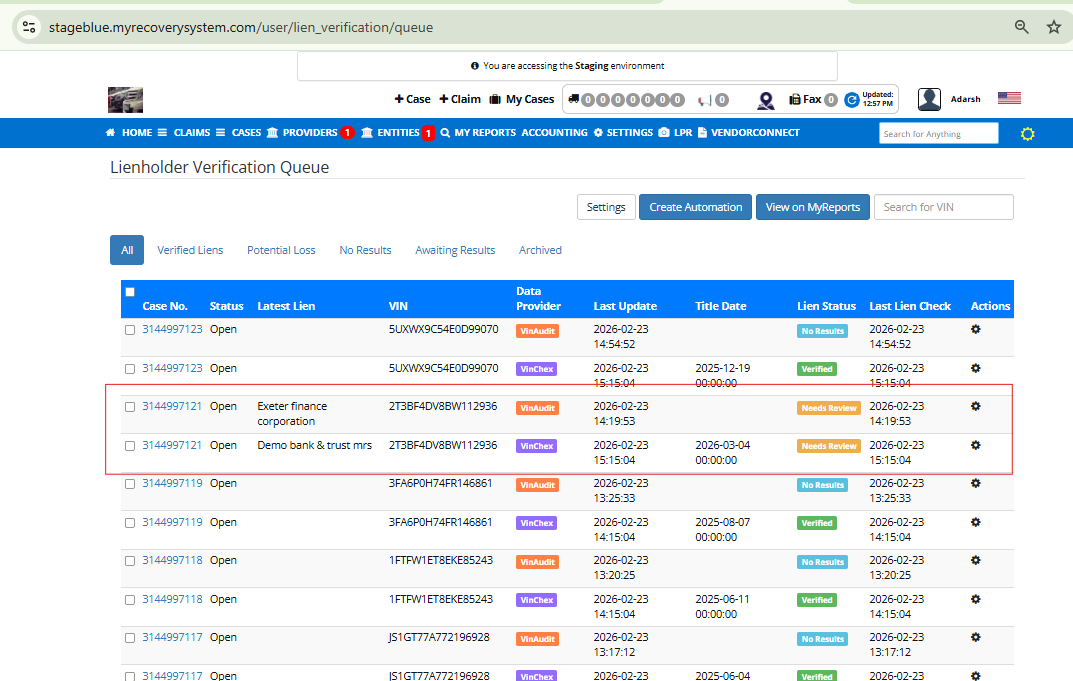
When both VinChex and VinAudit are enabled, the system compares results from both providers.
If Results Differ
A yellow warning banner appears in the queue indicating a conflict between providers.
What This Means
The lien verification providers returned different results, and additional review may be required before proceeding.
Example
Downstream Visibility
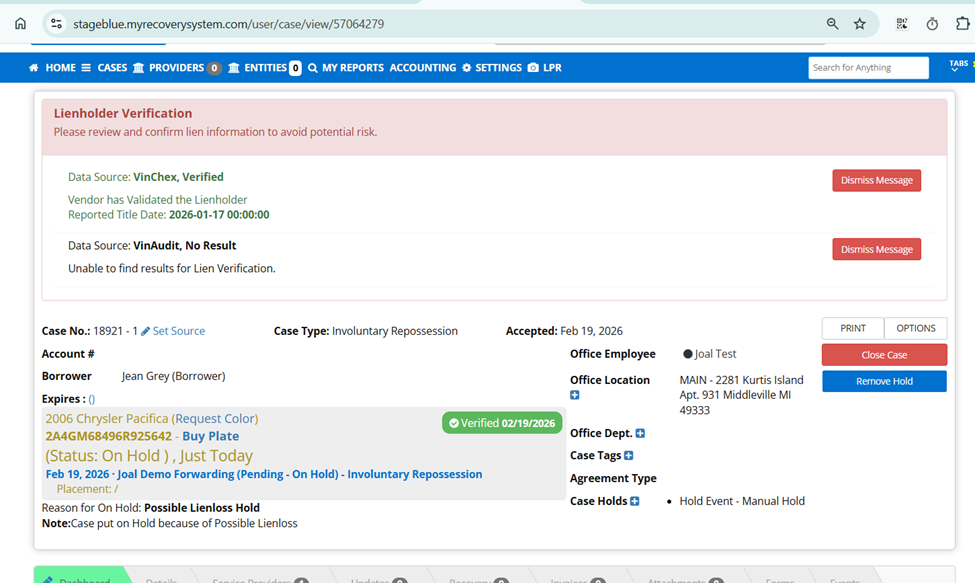
Lien verification results now propagate across the entire case hierarchy.
Case Hierarchy
Lender
Forwarder
Agent
Once a lien is confirmed, the system displays a verification badge across related cases.
Benefits
Prevents duplicate lien checks
Improves transparency across teams
Ensures all stakeholders see the verified status
Examples
Verified Lien – Lender View
Verified Lien – Forwarder View
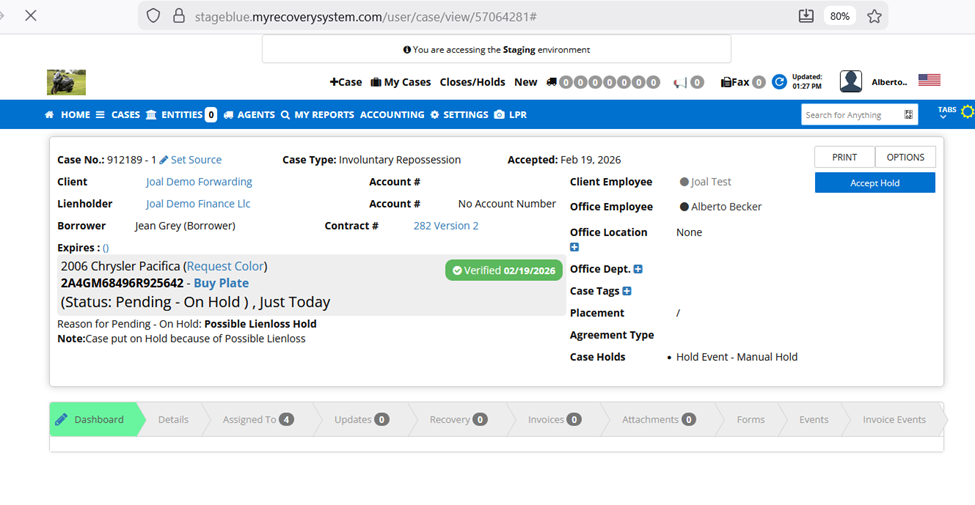
Verified Lien – Agent View
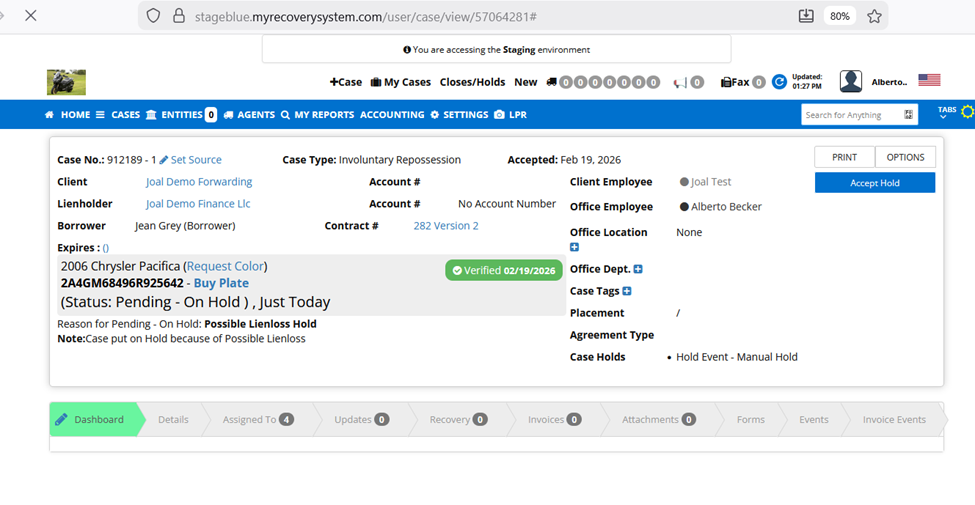
Archive Liens
Users can archive liens from the queue once they have been reviewed.
Reasons to Archive
Lien has been validated
Possible lien loss
Case no longer requires review
Archive Options
Single Case Archive
Select an individual lien and choose Archive.
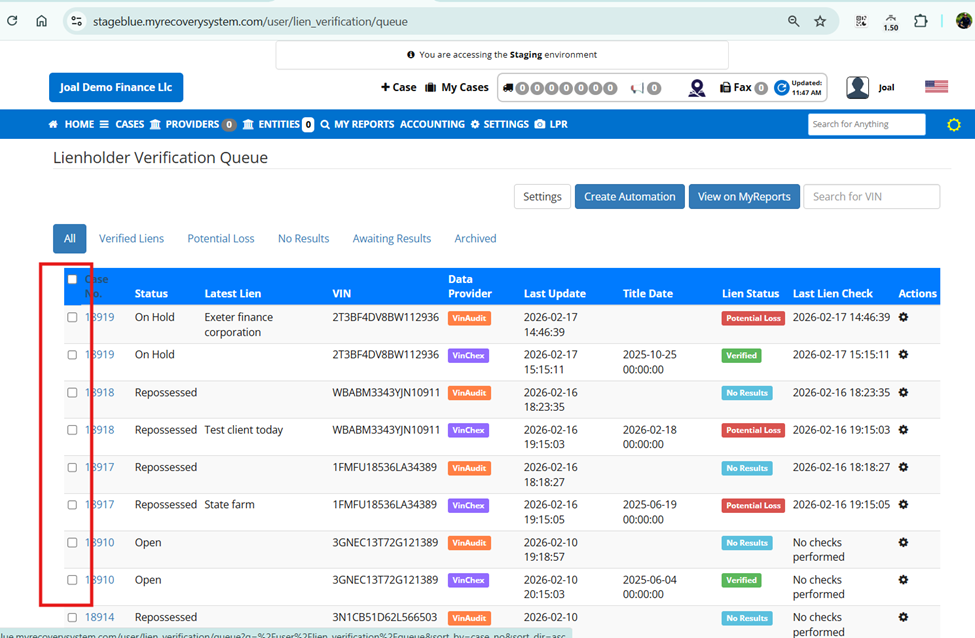
Bulk Archive
Select multiple cases and archive them simultaneously.
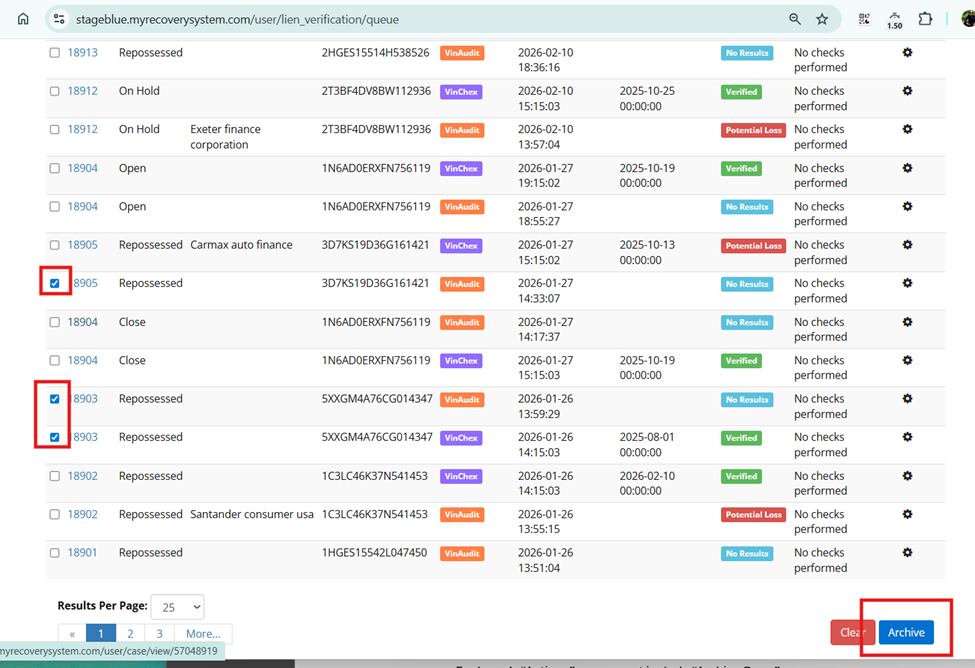
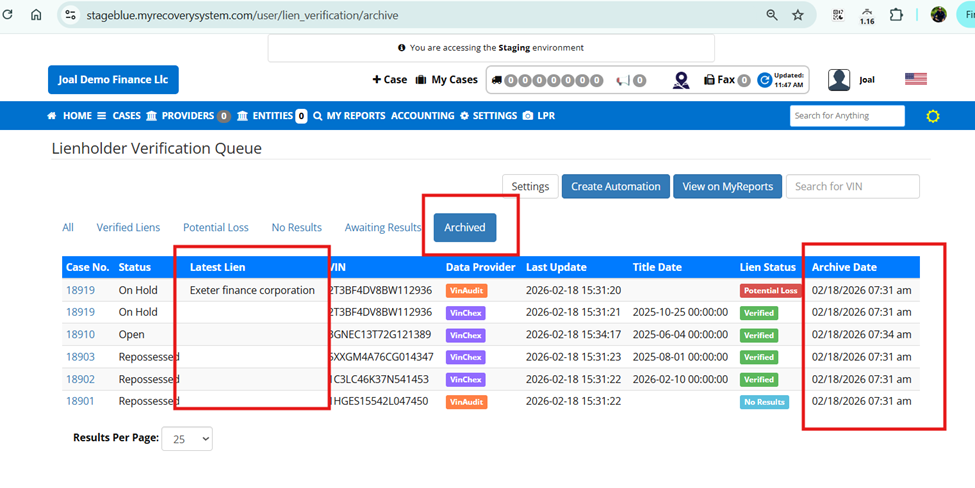
Archived Queue View
The Archived view displays all archived liens.
Information Displayed
Archived case details
Date the lien was archived
This allows teams to keep a record of reviewed liens while maintaining a clean active queue.
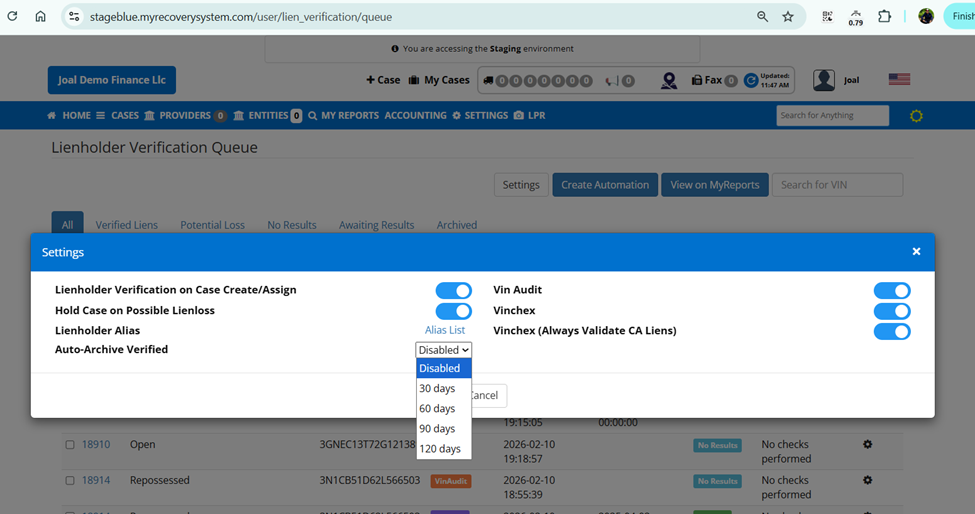
Auto Archive Settings
The system now supports automatic lien archiving.
Available Intervals
30 days
60 days
90 days
120 days
Once enabled, liens that remain in the queue beyond the selected time frame will automatically move to the archived queue.
Benefits
Reduces manual cleanup
Keeps queues manageable
Maintains consistent workflow hygiene
Restricted State Responses
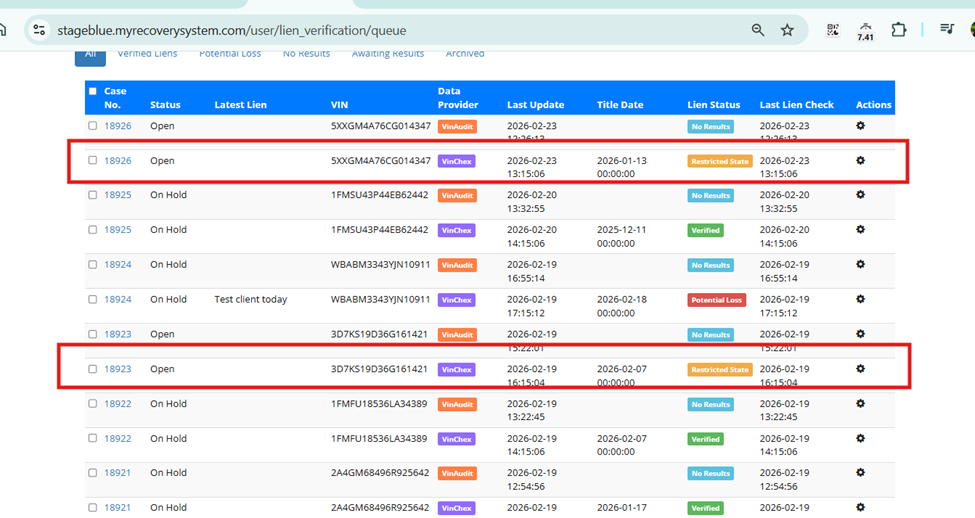
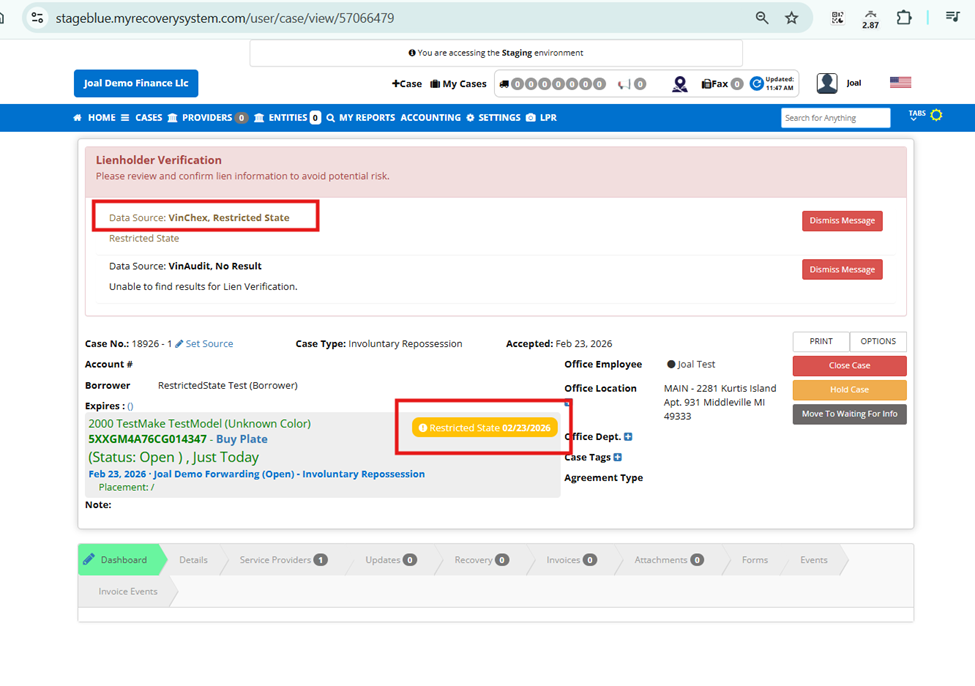
In some states, lien information cannot be returned due to data restrictions.
When this occurs, the system displays a Restricted State response.
Where This Appears
Lien Verification Queue
Case Details View
This ensures customers understand that the lien information cannot be retrieved due to state data restrictions, rather than assuming it is missing or incomplete.
Queue View
Case Details View
Summary
These enhancements improve the Lien Verification Queue by:
Improving navigation with pagination controls
Simplifying configuration through in-queue settings
Supporting multiple lien verification providers
Highlighting provider conflicts
Extending lien visibility across case hierarchies
Enabling manual and automated lien archiving
Providing transparency for restricted state responses