
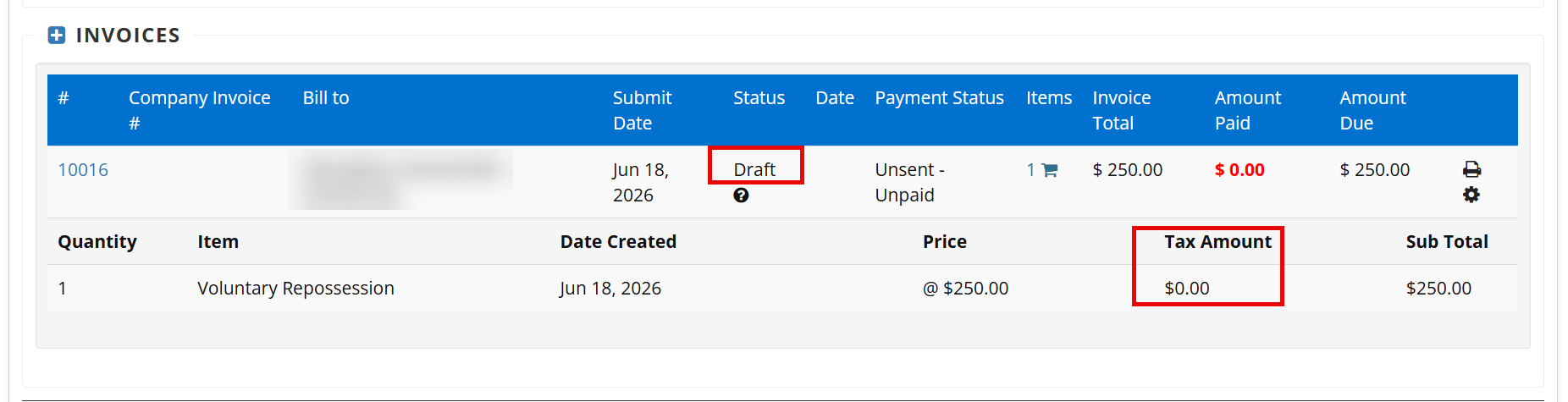
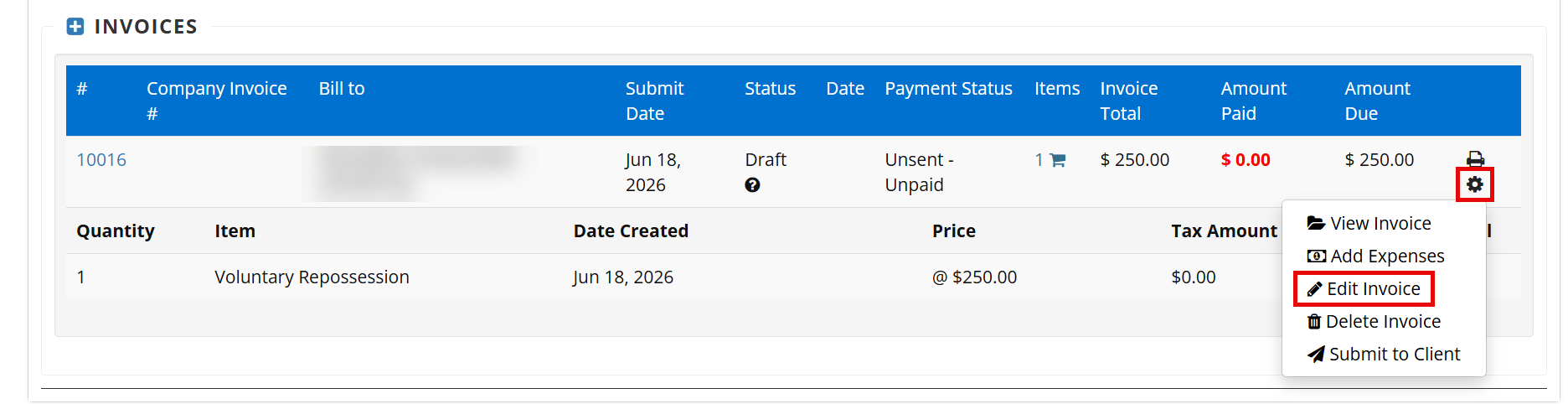
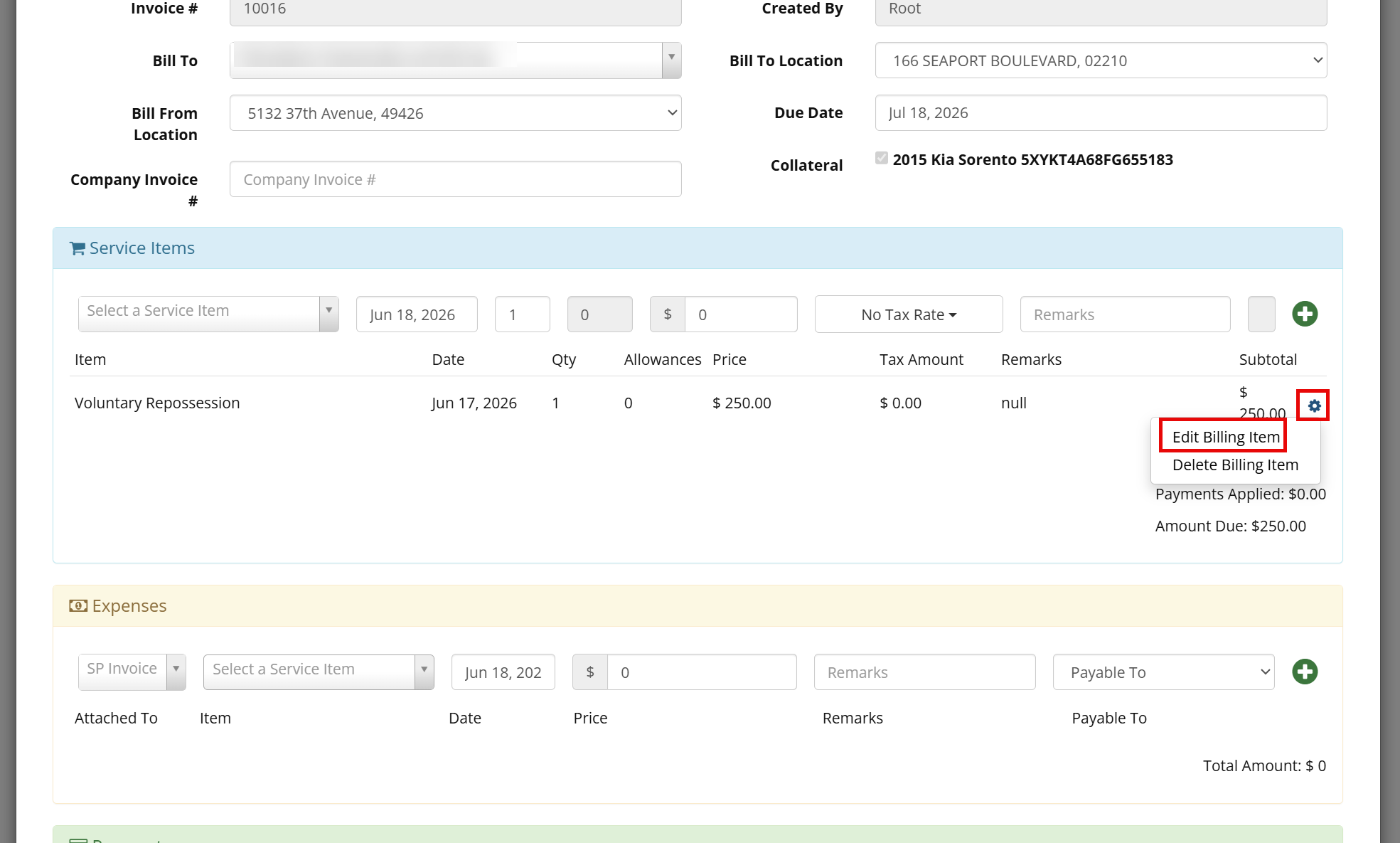
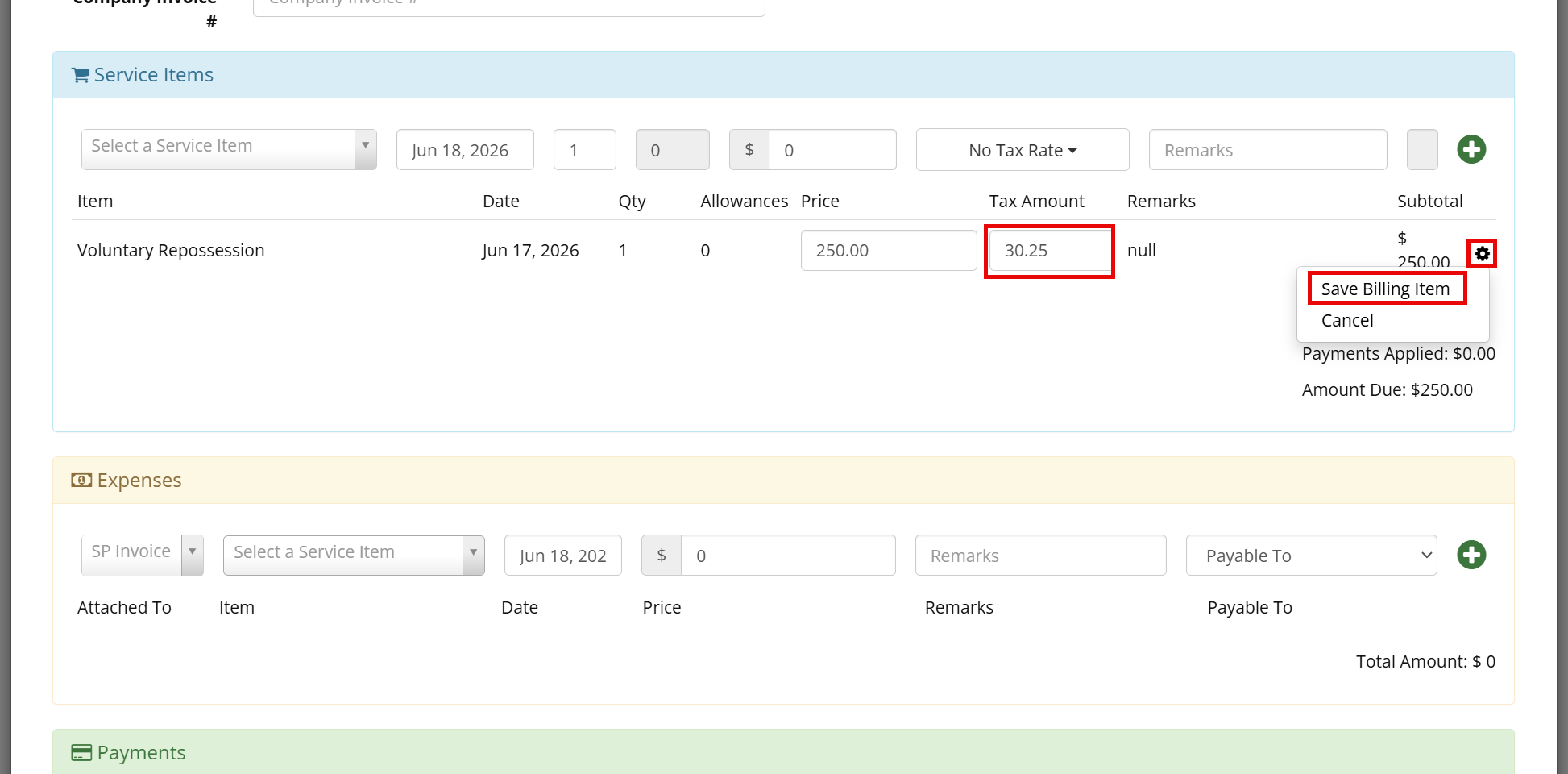
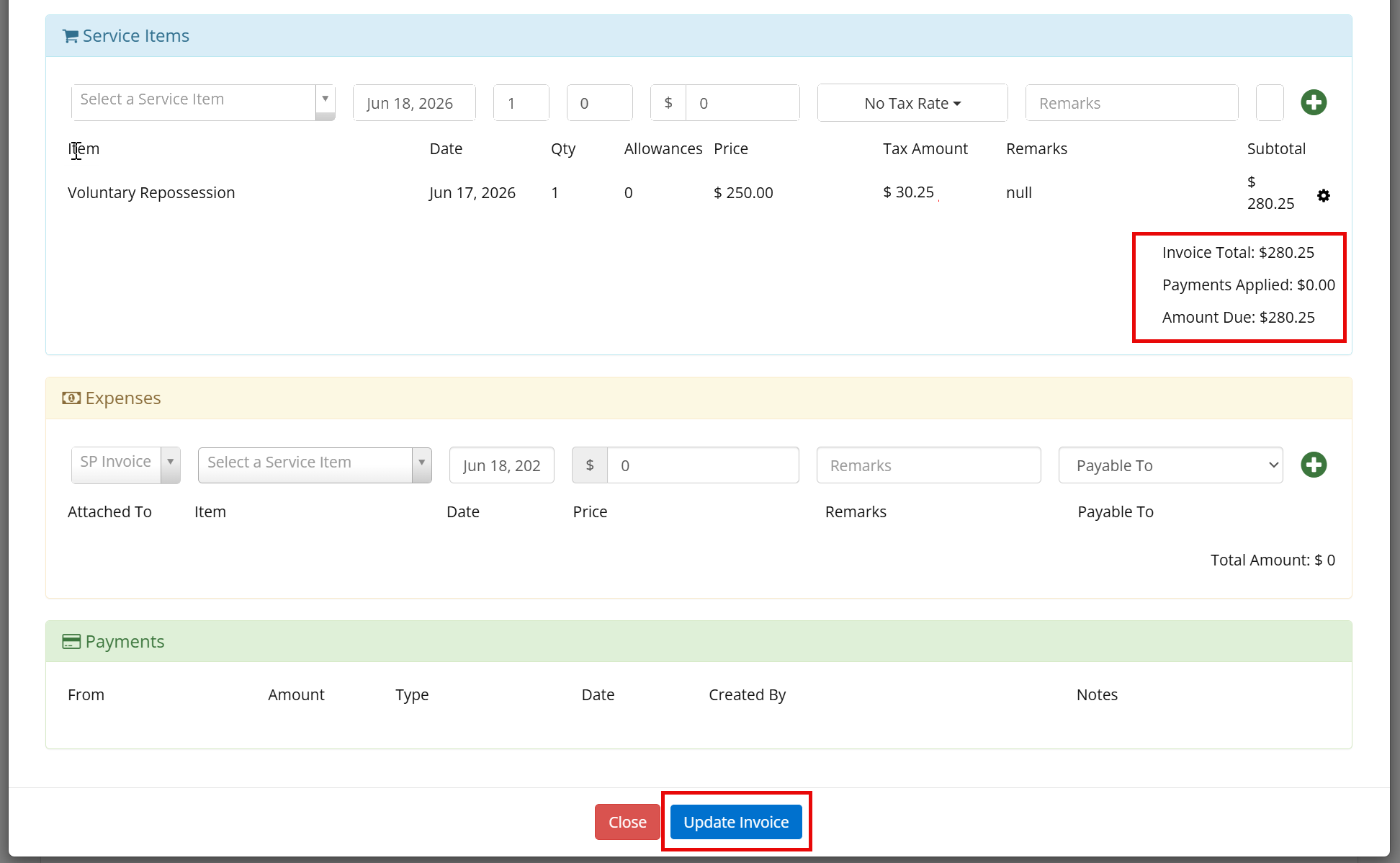
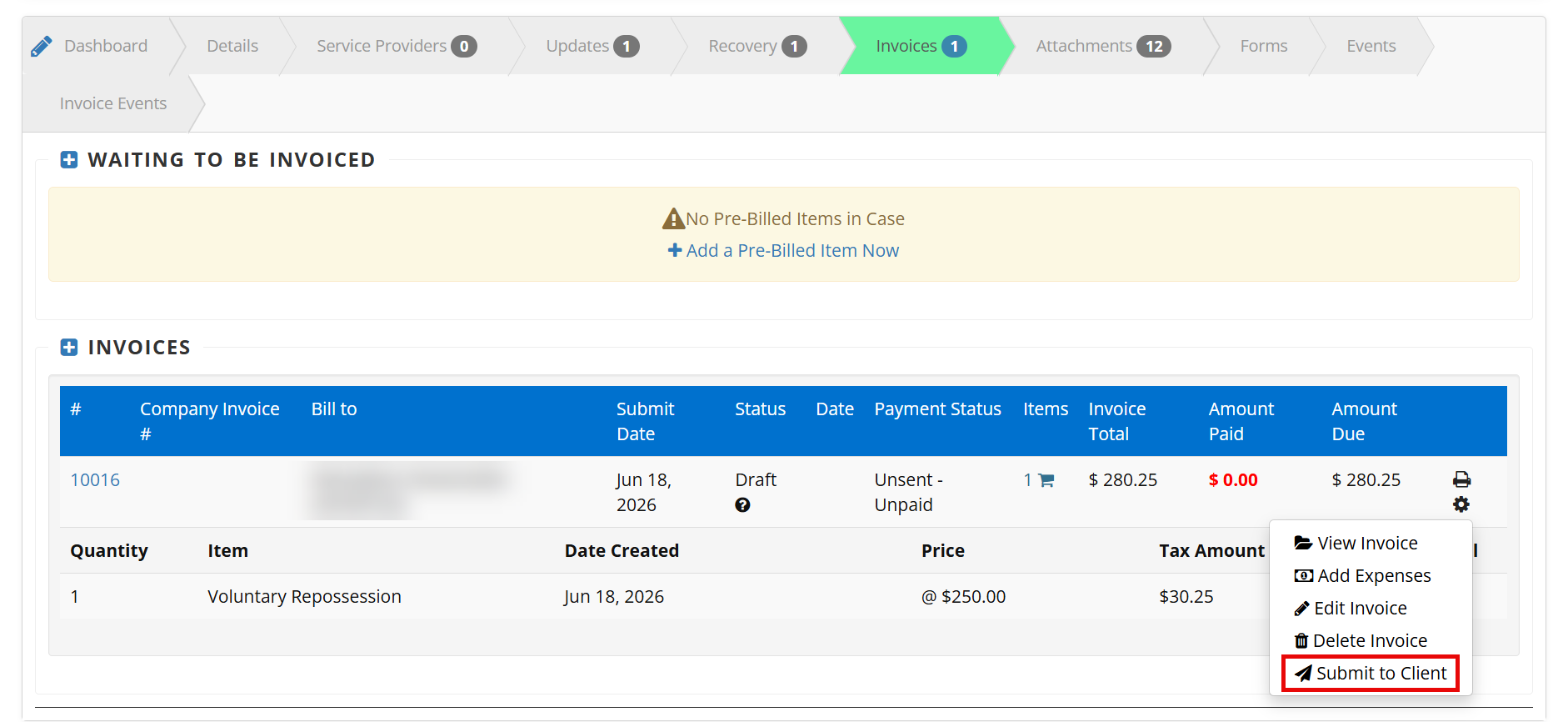
This article applies to forwarders and agentsSmart Invoicing - How to Add Tax to an Unsubmitted Invoice Print
Modified on: Thu, 18 Jun, 2026 at 11:17 AM
Did you find it helpful? Yes No
Send feedbackSorry we couldn't be helpful. Help us improve this article with your feedback.